
Download oRipa Screen Recorder – Free, Lightweight Screen Recording Tool for Windows
Looking for a simple, reliable, and free screen recording tool for Windows? oRipa Screen Recorder is a lightweight, no-frills software designed to capture your screen activity and audio with minimal system impact. Ideal for students, educators, and professionals, this tool lets you record tutorials, gameplay, online meetings, or any desktop activity effortlessly. With support for AVI format output and basic customization options, oRipa Screen Recorder remains a solid choice for users who value simplicity and efficiency. Download it today and start recording your screen in seconds—no complicated setup, no hidden costs.
Simple & Efficient Screen Recording for Windows Users
oRipa Screen Recorder stands out in the crowded field of screen capture tools by focusing on what matters most: simplicity and performance. Unlike bloated software that slows down your system, this lightweight application runs smoothly even on older Windows machines, including Windows 2000 and later versions. Its minimal footprint ensures that recording doesn’t interfere with your workflow, making it perfect for multitasking environments. Whether you're preparing a step-by-step tutorial for a class or capturing a live webinar, oRipa delivers consistent results without the lag.
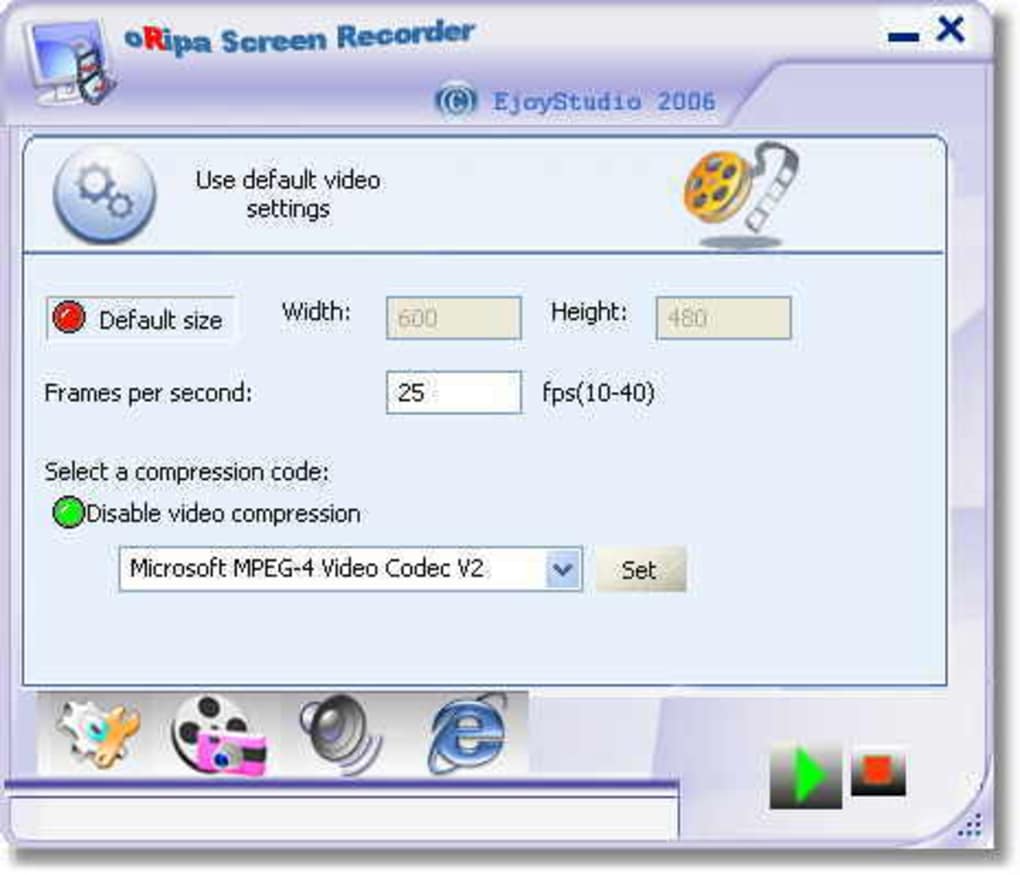
One of the biggest advantages of this software is its ease of use. With just a few clicks, you can define the recording area—whether it’s the entire screen, a specific window, or a custom region. You can also choose your audio source, such as system audio, microphone input, or both, ensuring that your recordings include clear voiceovers or ambient sound. The intuitive interface is clean and uncluttered, meaning even first-time users can get started immediately. Once you hit the record button, the process is seamless, and the software begins capturing everything in real time.
After recording, your video is saved directly to your chosen folder in AVI format, a widely supported container that works across most media players and editing software. While it doesn’t offer advanced editing features, it doesn’t need to—its purpose is to record, not to edit. For users who want to share videos quickly or upload them to platforms like YouTube or Google Drive, AVI provides a reliable, compatible output. This focus on core functionality makes oRipa Screen Recorder a dependable tool for everyday screen capture needs.
Key Features & Technical Highlights
- Free & Ad-Free – No hidden fees or intrusive ads. Download and use oRipa Screen Recorder at no cost.
- Lightweight Design – Uses minimal system resources, perfect for older or low-spec machines.
- Multi-Audio Capture – Record system audio, microphone input, or both simultaneously.
- Flexible Recording Areas – Choose full screen, window, or custom region for precise control.
- AVI Output Format – Saves recordings in a widely compatible video format for easy sharing.
- Simple Interface – Clean, intuitive design makes it accessible for beginners.
- Windows Compatibility – Works on Windows 2000 and later, including XP, Vista, 7, and 8.
- One-Click Recording – Start and stop recordings with minimal effort.
What makes oRipa Screen Recorder particularly appealing is its dedication to core functionality. While many modern screen recorders come packed with features like video editing, streaming, or AI enhancements, oRipa strips everything down to the essentials. This approach ensures stability, faster performance, and a lower risk of crashes during long recordings. For example, educators can use it to create short video lessons without worrying about complex settings or software conflicts. Similarly, remote workers can record virtual meetings for later review, knowing the tool won’t slow down their system.
Another notable feature is its compatibility with older Windows systems. Unlike many modern tools that require Windows 10 or 11, oRipa supports Windows 2000 and earlier versions, making it a rare gem for users still running legacy systems. This backward compatibility is especially valuable in educational institutions or small businesses with outdated hardware. The software’s last update was in 2006, but its stability and simplicity mean it continues to work reliably—proving that sometimes, less is more.
Installation, Usage & Compatibility
Installing oRipa Screen Recorder is a breeze. Begin by downloading the installer from a trusted source. The file is small in size, ensuring a quick download even on slower internet connections. Once downloaded, run the setup file and follow the on-screen prompts. The installation process takes less than a minute and doesn’t require administrative privileges on most systems.
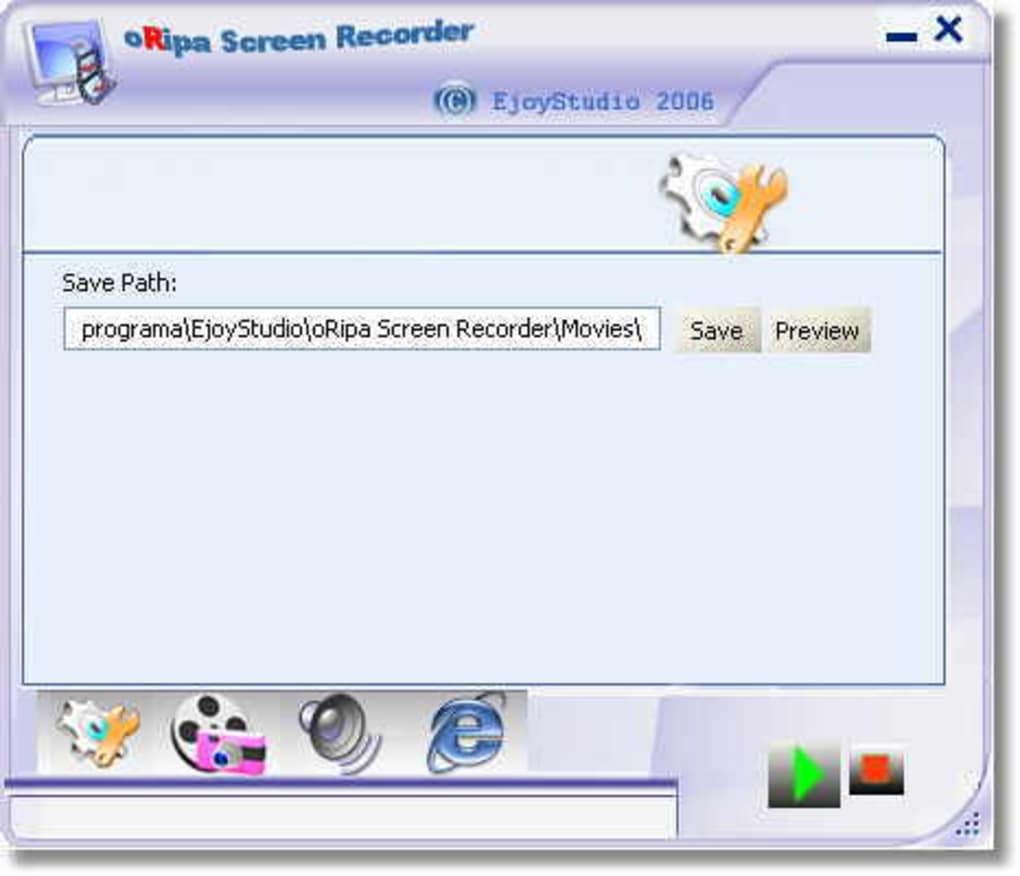
After installation, launch the software. You’ll be greeted with a minimal interface that displays recording options: select your recording area (full screen, window, or custom), choose audio sources (system sound, microphone, or both), and set the output folder. Click the “Record” button to begin. A small overlay will appear during recording, showing a countdown timer and a stop button. When you’re done, simply click stop, and the video is saved automatically in AVI format.
For users with older systems, oRipa Screen Recorder is a reliable choice. It runs smoothly on Windows 2000, XP, Vista, 7, and 8—making it one of the few screen recorders still functional on legacy hardware. While it doesn’t support modern platforms like macOS, Android, or iOS, its focus on Windows ensures a consistent experience across supported devices. The software is available in English, and the interface remains fully functional without language barriers.
Despite its age, oRipa continues to be a favorite among users in Indonesia, Singapore, and Croatia, where demand for lightweight, free tools remains high. Its long-standing presence in the software community—over 100,000 downloads since 2006—speaks volumes about its reliability and user satisfaction.
Pros & Cons at a Glance
Pros
- Completely free to download and use
- Extremely lightweight and fast
- Supports older Windows operating systems
- Simple, intuitive interface
- Records both screen and audio simultaneously
- AVI format output ensures broad compatibility
- Minimal system resource usage
Cons
- No video editing features included
- Limited to Windows platform only
- Software hasn’t been updated since 2006
- AVI files can be large and less efficient than modern formats
- No streaming or cloud upload options
Frequently Asked Questions (FAQ)
Final Verdict: A Reliable Choice for Basic Screen Capture
If you’re looking for a no-nonsense, free screen recorder that just works, oRipa Screen Recorder is a solid choice—especially for Windows users with older systems. While it lacks modern features like video editing, streaming, or support for newer operating systems, its core functionality remains strong. It’s ideal for quick recordings, educational content, or capturing online meetings without the hassle of complex tools.
Despite its age, the software’s lightweight nature and consistent performance make it a dependable option. For users who prioritize simplicity and compatibility over advanced features, oRipa delivers exactly what it promises: a fast, free, and secure way to record your screen.
Download oRipa Screen Recorder today and experience hassle-free screen recording—no strings attached, no cost, just results.







